

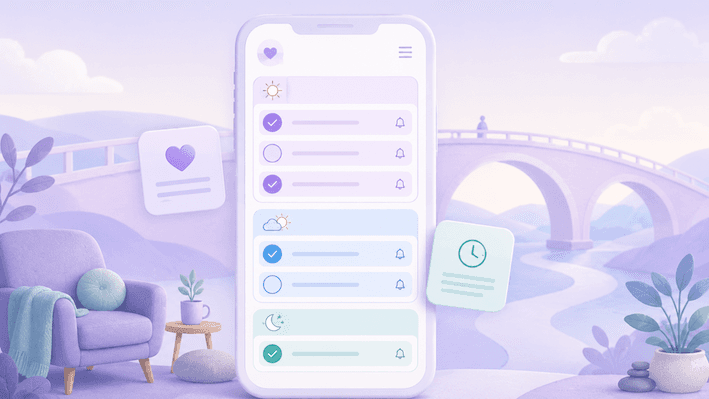
The best task scheduler for ADHD turns tasks into realistic schedules, reduces overwhelm and adapts when plans change.
That matters because many adults with ADHD are not struggling because they “do not care enough” or “just need more discipline.” Often, the day asks for a lot of invisible work: remembering tasks, estimating time, choosing priorities, starting at the right moment, switching between responsibilities and recovering when something unexpected happens.
A standard to-do list can become another place where unfinished tasks pile up. A better ADHD task scheduler should feel different. It should help you see what is possible today, not remind you of everything you have not finished.
An ADHD task scheduler is a planning tool that helps people turn tasks, reminders, routines and appointments into a realistic daily schedule that supports executive function, time awareness and follow-through.
Mindory’s brand guidance focuses on empathy, simplicity, stress-aware support and helping neurodivergent users feel understood rather than judged. Mindory’s newer company and coach materials also describe the app as a personal stress and productivity companion that helps people manage their day, energy and stress on their own terms.
That is the lens this guide uses: not “how do you force yourself to be more productive?” but “what kind of planning support feels usable when your brain is already carrying a lot?”
What makes a task scheduler ADHD-friendly?
An ADHD-friendly task scheduler helps lower the mental effort it takes to plan, start and adjust your day.
For many people with ADHD, the hard part is not writing down a task. The hard part is knowing what the task actually involves, when to do it, how long it might take, what to do first and how to restart after an interruption.
The National Institute of Mental Health lists time management, planning, organization, remembering daily tasks and focusing on large tasks among common adult ADHD challenges. The CDC also notes that ADHD can continue into adulthood and affect daily life, including work, home and relationships.
That is why the best task scheduler for ADHD should support more than task storage. It should help with the real-life moments where planning often breaks down:
✦ When a task feels too big to start
✦ When everything feels equally urgent.
✦ When time passes faster than expected.
✦ When reminders appear but do not explain what to do next.
✦ When one late task affects the whole day.
✦ When a full schedule starts to feel emotionally heavy.
A good ADHD schedule app should not make you feel behind before the day has even started. It should help you build a plan that feels possible.
The best task scheduler for ADHD is not the one with the most features
It is easy to assume the best app is the one with the longest feature list. For ADHD planning, that is not always true.
Too many settings, labels, boards, colors, views and rules can become exhausting. A tool that looks powerful can still feel unusable if it takes too much energy to maintain.
The best task scheduler for ADHD is usually the one that helps you answer three simple questions:
• What needs my attention today?
• What is the next small step?
• What can move if today does not go perfectly?
That last question is important. ADHD-friendly planning needs room for real life. You may wake up with less energy than expected. A meeting may run over. A sensory-heavy day may leave you drained. A task that looked simple may turn out to have five hidden steps.
A supportive scheduler does not treat that as failure. It helps you adjust.
Mindory’s coach guide puts this clearly: the app is designed as “a companion, not a critic,” where missed tasks can be rescheduled and overwhelm is met with support rather than punishment.
What to look for in an ADHD task scheduler
The best task scheduler for ADHD should make your day feel clearer, not more crowded.
You do not need an app with every possible feature. You need one that helps in the moments where planning can feel hardest: starting tasks, remembering what matters, seeing time clearly and adjusting when the day changes.
When comparing ADHD task schedulers, pay attention to five things: task breakdown, calendar sync, helpful reminders, flexibility and stress-aware support.
It helps you break down tasks
Big tasks can feel heavy when they are too vague. A helpful ADHD task scheduler should let you turn “sort paperwork” into something smaller, like “find the folder,” “choose one form” or “set a 15-minute timer.”
This is not about making tasks basic. It is about making the starting point easier to see.
CHADD recommends describing tasks clearly, keeping tasks simple and breaking big projects into smaller tasks. That kind of structure can make a task feel less like a wall and more like a door you can open.
Instead of:
“Prepare presentation”
A scheduler might help you create:
• Open the presentation file
• Write the title slide
• Add three rough bullet points.
• Find one example.
• Schedule 25 minutes to work on the first section.
The most useful first step is often not impressive. It is simply small enough to begin.
Mindory supports this by letting users add tasks manually or through Mindy, the AI companion. The coach guide also describes AI subtask generation, which can be useful when a larger task feels too unclear to start.
It works with your calendar
Your tasks do not happen in an empty day. They sit beside appointments, messages, meals, transitions, errands and rest.
A good ADHD schedule app should help you see what can actually fit into your day. Calendar sync can be especially helpful because it shows your commitments and tasks in one place, instead of asking you to hold everything in your head.
Many people with ADHD are used to planning as if the day has more space than it really does. You might look at a free hour and think, “I can get three things done.” But that hour may also include transition time, a snack, replying to a message, finding the file, calming down after a meeting or simply needing a moment to breathe.
A helpful task scheduler for ADHD adults should make it easier to see:
✓ Where your fixed appointments already are.
✓ Where there is actual space for focused work.
✓ Which tasks are too large for the time available.
✓ Where breaks or buffers might be needed.
✓ What can move to another day.
Mindory’s daily planning feature includes calendar integration and lets people plan in either a timeline view or a simpler Morning / Afternoon / Evening block view. That matters because not everyone thinks in exact times. Some people need structure, but not a minute-by-minute schedule.
The best schedule is not the fullest one. It is the one you can realistically live inside.
It gives reminders that feel supportive
Reminders can be helpful, but only when they give enough context.
A notification that says “Admin” may not help if you are already overwhelmed. It may even create more stress because you still have to remember what “Admin” means, why it matters and what to do first.
An ADHD-friendly reminder should be specific and kind.
Instead of:
“Taxes”
A better reminder might say:
“Open the tax folder and find your income document. Just do that first step.”
Good reminders should help you re-enter the task. They should not simply announce that you are behind.
Look for reminders that are clear, customizable, easy to move, connected to one next action and gentle enough that you do not start ignoring them.
Mindory’s materials describe personalized reminders, morning summaries, proactive break suggestions and task creation by voice or text. For someone who finds admin tiring, voice input can remove one more layer of friction.
A reminder should feel like support, not a small alarm of guilt.
It lets you change the plan
Plans change. That is not a personal failure.
Many planning systems work beautifully until something goes wrong. Then the whole structure collapses, and you are left with a schedule full of missed tasks.
For adults with ADHD, this can feel deeply discouraging. It can bring up the familiar thought: “I failed again.”
A better task scheduler for ADHD should help you recover from disruption. Not by pretending the disruption did not happen, but by helping you make a new plan without judgment.
Look for features that let you move unfinished tasks to later, reschedule with one tap, reduce the plan when the day is too full, drag tasks into a new time block and separate urgent tasks from tasks that can wait.
Mindory’s company page describes daily planning with easy rescheduling and an end-of-day screen that handles leftover tasks without drama. Its coach guide also notes that tasks can be moved by an hour, two hours or pushed to the next day.
The question is not “will I ever fall behind?” Most people will. The better question is “does this app help me restart?”
It respects stress and energy
ADHD planning is not only about time. It is also about energy, stress and emotional load.
A schedule can look reasonable on paper and still feel impossible in your body. Maybe the tasks are individually small, but together they create too many transitions. Maybe the day is full of people, noise, decisions or uncertainty. Maybe you technically have time, but not enough capacity.
That is why stress-aware support can be so valuable.
A calmer task scheduler can help by encouraging fewer tasks on high-stress days, building in breaks, supporting routines that reduce decision fatigue, helping you notice patterns over time and offering gentle recommendations instead of pressure.
Mindory’s product direction includes stress-level monitoring, personalized reminders, AI-driven tools, focus support and practical recommendations to help users structure their day with less stress. Its company and coach pages expand on this with the Stress Fingerprint, which learns personal stress patterns over time and can surface stress factors before overwhelm has already peaked. Mindory describes this as a self-awareness aid, not a medical tool.
This kind of support can be especially meaningful for people who have tried productivity tools before and felt blamed by them.
Why ordinary to-do lists often do not work well for ADHD
A to-do list can be helpful, but it can also become emotionally loaded.
You may open it and see every unfinished task at once. Small errands sit next to major life admin. Work tasks mix with household chores. A two-minute message appears beside a complicated project that needs several hours and emotional energy.
To the app, they are all just tasks. To your brain, they may feel like noise.
CHADD notes that to-do lists can support both short-term and long-term planning, while also recommending that those planning types are kept separate. That separation matters because today’s tasks can feel more manageable when they are not buried under every long-term responsibility you are carrying.
For example, “sort paperwork” might feel vague and heavy. A more supportive scheduler might break it into:
• Find the paperwork folder
• Put documents into three piles.
• Choose the one form that needs action first.
• Set a 15-minute timer.
• Stop when the timer ends, even if the whole pile is not finished.
That kind of support gives your brain a doorway into the task. You do not have to solve the whole thing before you start.
How to choose the right ADHD schedule app for you
A good way to choose is to start with the part of planning that feels most painful right now.
✦ If starting is the hardest part, look for an app that helps break tasks into first steps.
✦ If remembering is the hardest part, look for reminders that include clear context.
✦ If time disappears easily, look for calendar sync, time blocks and gentle alerts before transitions.
✦ If your days often change, look for flexible rescheduling that lets you move tasks without rebuilding everything.
✦ If exact scheduling feels too rigid, look for a block view that lets you plan by Morning, Afternoon and Evening.
✦ If planning apps usually feel exciting for two days and then overwhelming, look for something simple. A tool you can return to after a messy day is more helpful than a powerful system you avoid.
Most importantly, notice how the app makes you feel. The right scheduler should give you a little more breathing room. It should not make you feel watched, judged or constantly behind.
A note for people using an ADHD scheduler at work
If your employer offers a productivity or wellbeing app, privacy can be a very real concern.
It is understandable to wonder: Can my manager see my stress level? Can the company see my tasks? Will this be used to measure me?
Mindory’s company page states that the app belongs to the employee, with no employer-facing dashboard, no monitoring and no employee data shared with the company. It also says employers do not have access to employee stress readings, conversations with Mindy or other in-app activity.
That privacy positioning is important. An ADHD task scheduler should feel like a personal support tool, not a surveillance tool.
Where Mindory fits as an ADHD-friendly task scheduler
Mindory is a supportive AI planning and daily-structure app for people with ADHD, autism, executive-function challenges, stress, overwhelm and focus difficulties.
As an ADHD task scheduler, Mindory is designed for people who need planning to feel calmer, more flexible and more human. Its approach is shaped around practical support, stress awareness, personalized reminders, focus tools and a companion-like experience that helps users feel understood rather than judged.
Mindory may be a good fit if you are looking for:
✓ A calmer way to turn tasks into a daily plan.
✓ Support with time management, focus and energy.
✓ A choice between timeline planning and Morning / Afternoon / Evening blocks.
✓ Gentle reminders that do not feel harsh.
✓ Voice or text task creation when typing everything out feels like too much.
✓ AI-supported task breakdown.
✓ Planning that considers stress and overwhelm.
✓ Help building routines without rigid pressure.
✓ Focus timers with rest periods.
Wellbeing tools such as breathing exercises, grounding techniques and guided meditations.
A task scheduler that works with your brain instead of against it.
Try Mindory as a calmer ADHD-friendly task scheduler if you want help building a day that feels possible, flexible and easier to return to when things change.
How to test an ADHD task scheduler without overwhelming yourself
You do not need to move your entire life into a new app on day one.
In fact, it may be better not to.
Try testing one ADHD schedule app with one ordinary week. Keep it small and realistic.
Start with your fixed appointments. Add only five tasks you genuinely need to do. Break one large task into small steps. Set reminders for two tasks. Leave space between commitments. Then notice what happens when something runs late.
Try both kinds of planning if the app offers them. A timeline can help when you need exact structure. A block view can help when strict timing feels stressful.
The most important test is not whether you used the app perfectly. It is whether the app still felt usable after an imperfect day.
That is often where the best ADHD-friendly tools stand out.
Signs a task scheduler may not be ADHD-friendly
A task scheduler may not be the right fit if it makes planning feel heavier.
Watch for tools that take a long time to set up, make missed tasks feel like failure, use too many categories or rules, send vague reminders, make rescheduling difficult or encourage overplanning.
It may also be worth reconsidering a tool if it treats every task as urgent. A good scheduler should help you choose what matters now, what can wait and what needs a smaller first step.
You deserve a planning tool that supports your nervous system, not one that turns your task list into another source of pressure.
A gentler way to think about ADHD scheduling
The point of a task scheduler is not to turn you into a perfectly consistent person.
It is to give you support in the places where planning asks too much of your memory, attention, energy or time awareness.
Some days, the scheduler may help you complete several tasks. Other days, it may help you choose the one thing that matters most. And on hard days, it may simply help you move unfinished tasks without spiraling into shame.
That still counts as support.
The best task scheduler for ADHD is not the one that makes you do everything. It is the one that helps you understand what is realistic, start smaller and come back gently when the day changes.
Choosing support that feels safe to return to
Finding the best task scheduler for ADHD is not about choosing the most advanced app or building a perfect routine.
It is about finding support you can actually return to on a normal day, a stressful day and a day where the plan falls apart.
That might mean an app that helps you break down one vague task. It might mean reminders that tell you what to do next. It might mean a schedule that can shift when your energy changes. Or it might mean having a planning companion that helps you restart without making you feel like you have failed.
Mindory is built around that gentler kind of support: daily structure, flexible scheduling, personalized reminders, stress-aware insights and an AI companion designed to help you feel understood rather than judged.
If you are looking for a calmer ADHD task scheduler, try Mindory as a supportive way to plan your day, reduce overwhelm and work with your brain instead of against it.
FAQ
What is the best task scheduler for ADHD?
The best task scheduler for ADHD is one that helps turn tasks into realistic steps, shows how they fit into your day and makes it easy to adjust when plans change. It should reduce overwhelm rather than create more pressure.
Is a task scheduler better than a to-do list for ADHD?
A task scheduler can be more helpful than a basic to-do list because it connects tasks to time, reminders and daily capacity. A to-do list tells you what exists. A scheduler helps you decide what is realistic today.
What features should an ADHD schedule app include?
An ADHD schedule app should include task breakdown, calendar sync, helpful reminders, flexible rescheduling, recurring routines and a simple design. Stress-aware support can also be useful for people who feel overwhelmed by packed schedules.
Can a task scheduler help with time blindness?
A task scheduler may help with time blindness by making time more visible through calendar blocks, reminders, buffers and realistic scheduling. It cannot remove time blindness, but it can reduce how much you have to estimate or remember on your own.
Is a timeline or block schedule better for ADHD?
It depends on how your brain prefers to plan. A timeline can help when you need exact times, while a Morning / Afternoon / Evening block view can feel calmer when strict scheduling creates pressure.
Is Mindory an ADHD task scheduler?
Mindory is designed as a supportive AI planning and daily-structure app for ADHD, autism, executive-function challenges, stress and overwhelm. It focuses on calmer planning, personalized reminders, stress-aware support, flexible rescheduling, focus support and practical daily structure.
What if I keep abandoning planning apps?
That does not mean you are bad at planning. It may mean the app asked for too much setup, too much maintenance or too much consistency. Look for a simpler scheduler that helps you restart easily after missed days.
Can a task scheduler replace ADHD treatment or professional support?
No. A task scheduler can support planning, structure and reminders, but it does not diagnose, treat or replace professional care. If ADHD symptoms are affecting your health, safety, work or relationships, consider speaking with a qualified healthcare professional.
—
Mindory App was created together with the licensed psychotherapist Alain Massen. It is a gentle AI planner app designed for people with ADHD and autism.
The app helps users anticipate stress, break larger tasks into manageable steps, and stay organised through integrations with Google Calendar, Apple Calendar, and health apps.
Mindory is also used as an add-on for our neurodiversity training programmes.